
WhatsApp Business API for your whole team.
Connect your WhatsApp numbers through Meta's official Cloud API and answer them from one shared inbox, on the web and on your phone.
Trusted by 500+ businesses in Nepal




What you get.
Official Cloud API
Connected through Meta's own signup, in a desktop browser.
Several numbers
Every number your business uses, in one inbox.
Message templates
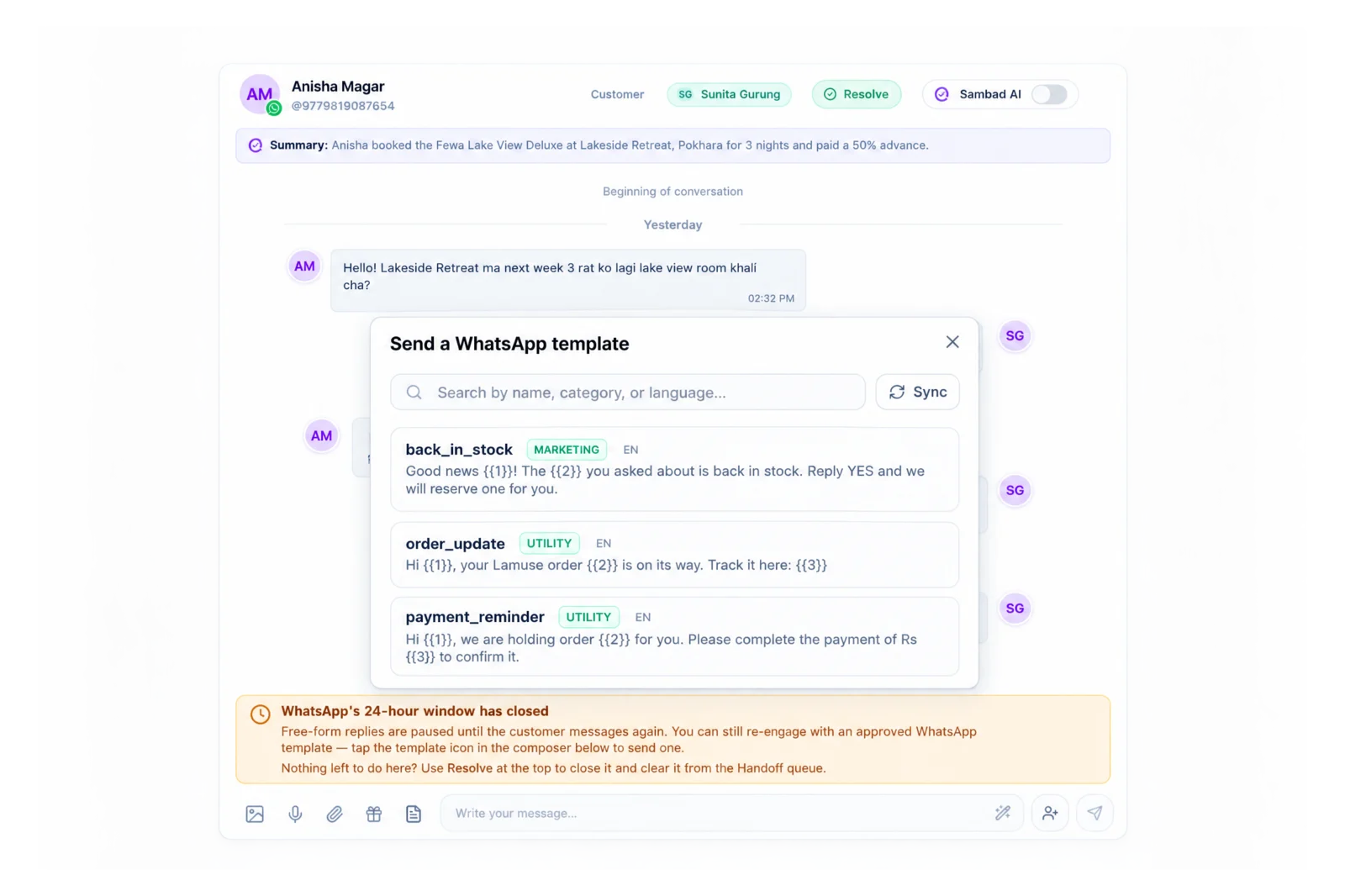
Create, sync and send templates to reach customers after 24 hours.
WhatsApp Groups
Create groups, share invite links and handle join requests.
Team inbox
Assign chats, leave internal notes, use quick replies.
Voice notes and media
Photos, videos, documents and voice notes, both ways.
Why the API, not the WhatsApp Business app.
The WhatsApp Business app is built for one phone. Once more than one person answers customers, the app means shared logins, missed messages and no record of who promised what.
The API lets a team answer the same number from many devices, with each chat assigned to a person, internal notes the customer never sees, and a full history. Sambad connects to it through Meta's Cloud API, so there is no third-party gateway in between.
The 24-hour window, handled.
WhatsApp lets businesses reply freely for 24 hours after a customer's last message. After that, only an approved template can start the conversation again. Sambad shows a clear banner when the window has closed and puts your approved templates one click away.
Closing or resolving a conversation never depends on sending a message, so your inbox stays tidy even when a customer goes quiet.
How to get started.
01 / 03
Open Sambad on a computer
Meta's signup runs in a desktop browser.
02 / 03
Connect your number
Use Embedded Signup, or connect your own Meta app.
03 / 03
Invite your team
Owner, Admin, Manager and Customer Support roles.
Questions people ask.
Is Sambad an official WhatsApp Business API connection?
Yes. Sambad connects through Meta's WhatsApp Cloud API using Embedded Signup, or your own Meta app if you prefer.
Can I connect more than one WhatsApp number?
Yes. Each number counts as one channel toward your plan's limit, and all of them share the same inbox.
Can I message a customer after 24 hours?
Yes, with an approved WhatsApp template. Sambad lets you create, sync and send templates from the conversation.
Can I connect WhatsApp from my phone?
The first connection needs a desktop browser, because Meta's signup does not finish on mobile. After that, reply from the Sambad app on iOS or Android.
Keep reading
See Sambad on your own channels.
Book a walkthrough with our team. We'll show the inbox, the integrations you need and how your team would use it.