
Your CRM, beside every conversation.
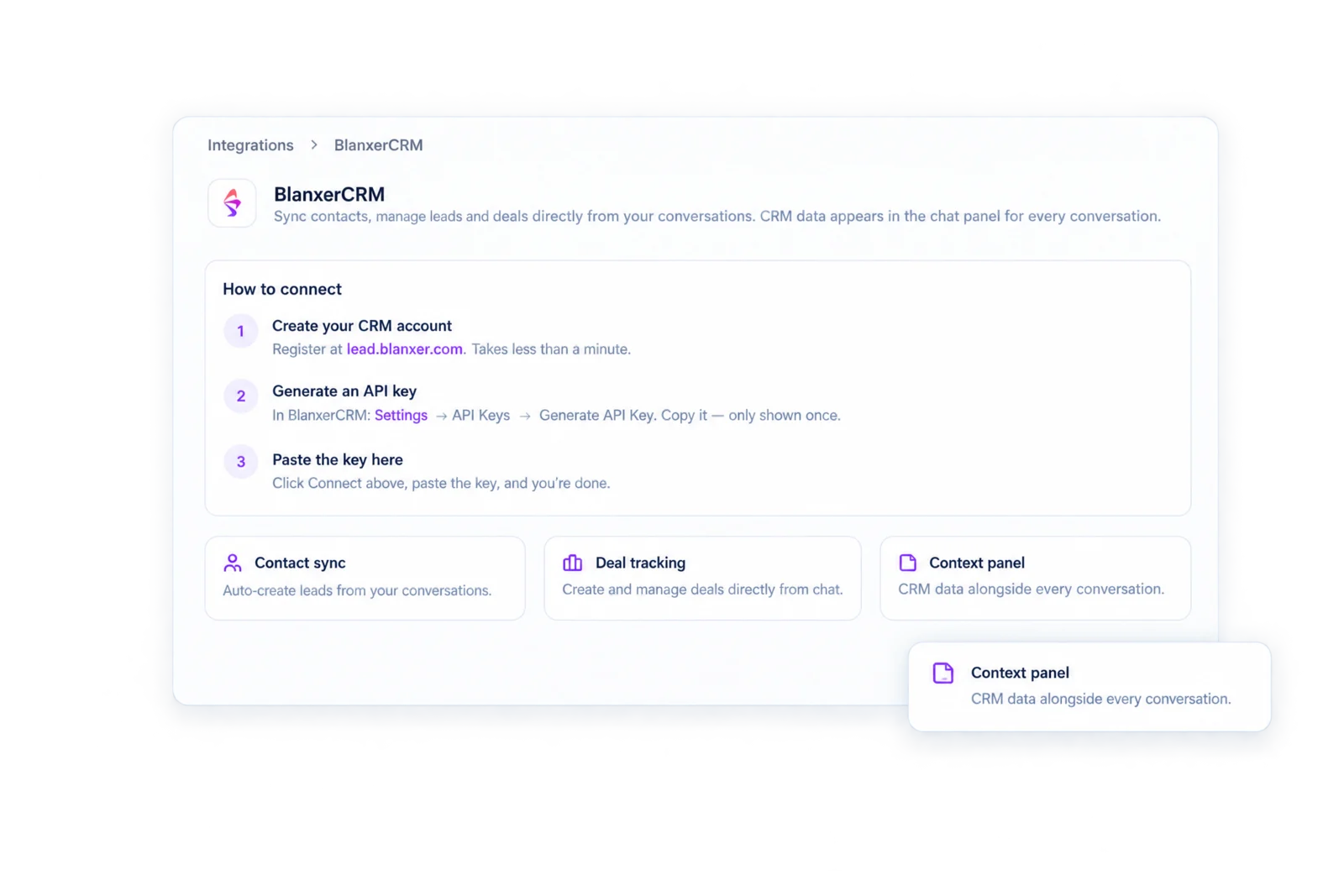
Chats match their CRM contact by phone or email. Create deals, add notes and capture leads while you talk, instead of after.
Trusted by 500+ businesses in Nepal




What you get.
Matched automatically
Each chat finds its CRM contact by phone or email.
Deals from the chat
Create a deal and move it on without switching tabs.
Notes
Add a CRM note from the conversation.
Lead capture
New enquiries become leads with the fields you choose.
BlanxerCRM and Zoho
Connect BlanxerCRM, or Zoho CRM for contacts, leads and deals.
Every channel
WhatsApp, Instagram, Messenger and email all feed the same CRM.
Sales happens in messages. The CRM should be there.
A lead asks for a quote on Messenger, follows up on WhatsApp and sends the signed copy by email. Without one inbox, that is three threads and a CRM that never hears about it.
With Sambad, the conversation and the CRM record sit side by side. Your team sees the deal and its stage while they reply, and updates it from the same screen.
Leads captured while the customer is still talking.
Choose which lead fields matter to you, such as budget, company or timeline. When the Leads agent is on, Sambad AI asks for them in the conversation and creates the lead in your CRM.
Every lead also gets a Hot, Warm or Cold score in the conversation sidebar, so the team knows which chats to answer first.
How to get started.
01 / 03
Choose your CRM
BlanxerCRM with an API key, or Zoho CRM.
02 / 03
Pick your lead fields
The details you want collected from every enquiry.
03 / 03
Work from the inbox
Contacts, deals and notes appear beside each chat.
Questions people ask.
Which CRMs does Sambad connect to?
BlanxerCRM and Zoho CRM. Sambad also has its own contacts, with notes and an AI summary of every conversation a person has had with you.
How does Sambad know which CRM contact a chat belongs to?
It matches by phone number or email address.
Can I create deals from a WhatsApp chat?
Yes. Create and view deals, and add notes, from the conversation panel.
Is the CRM connection on every plan?
Yes, the connection itself works on every plan. Our pricing lists BlanxerCRM from Pro because that is where most teams need it.
See Sambad on your own channels.
Book a walkthrough with our team. We'll show the inbox, the integrations you need and how your team would use it.