
Everything your team needs to answer every message.
One inbox for every channel, the tools to run it as a team, and the systems your business runs on, beside every chat.
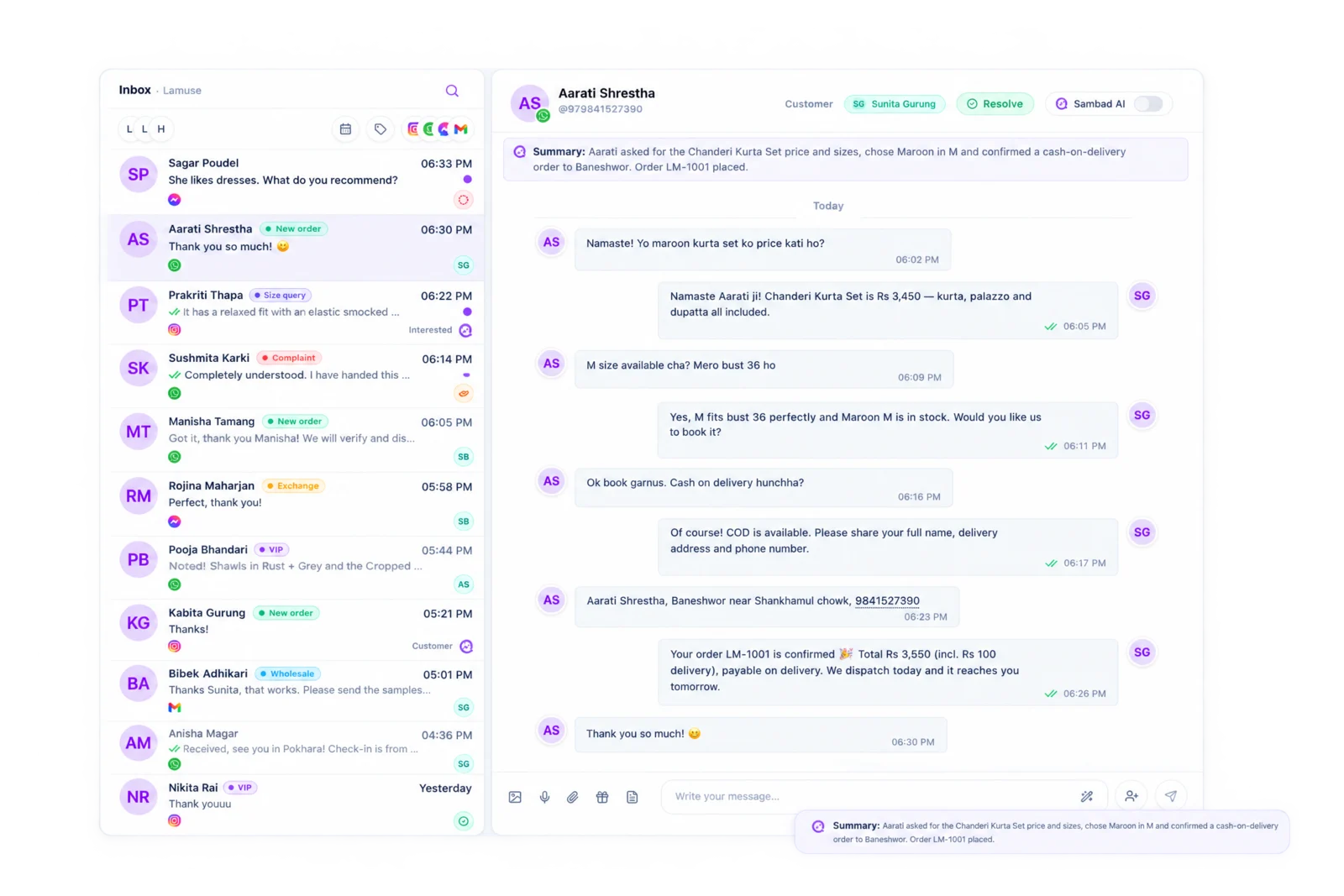
Channels you can connect
- Messenger
- Gmail
- Outlook
- Zoho Mail
Every channel, one list.
WhatsApp, Instagram, Messenger, Gmail, Outlook and Zoho Mail land in one inbox your team shares. Filter by Mine, Unassigned, Handoff, channel or date, and search every conversation, contact and message.
One inbox for every channelEvery conversation has an owner.
Assign a chat to a teammate or to Sambad AI. When the AI can't help, it hands the chat to your team, and it shows up under Handoff. Internal notes sit beside the conversation and the customer never sees them. Owner, Admin, Manager and Customer Support roles decide who sees what.
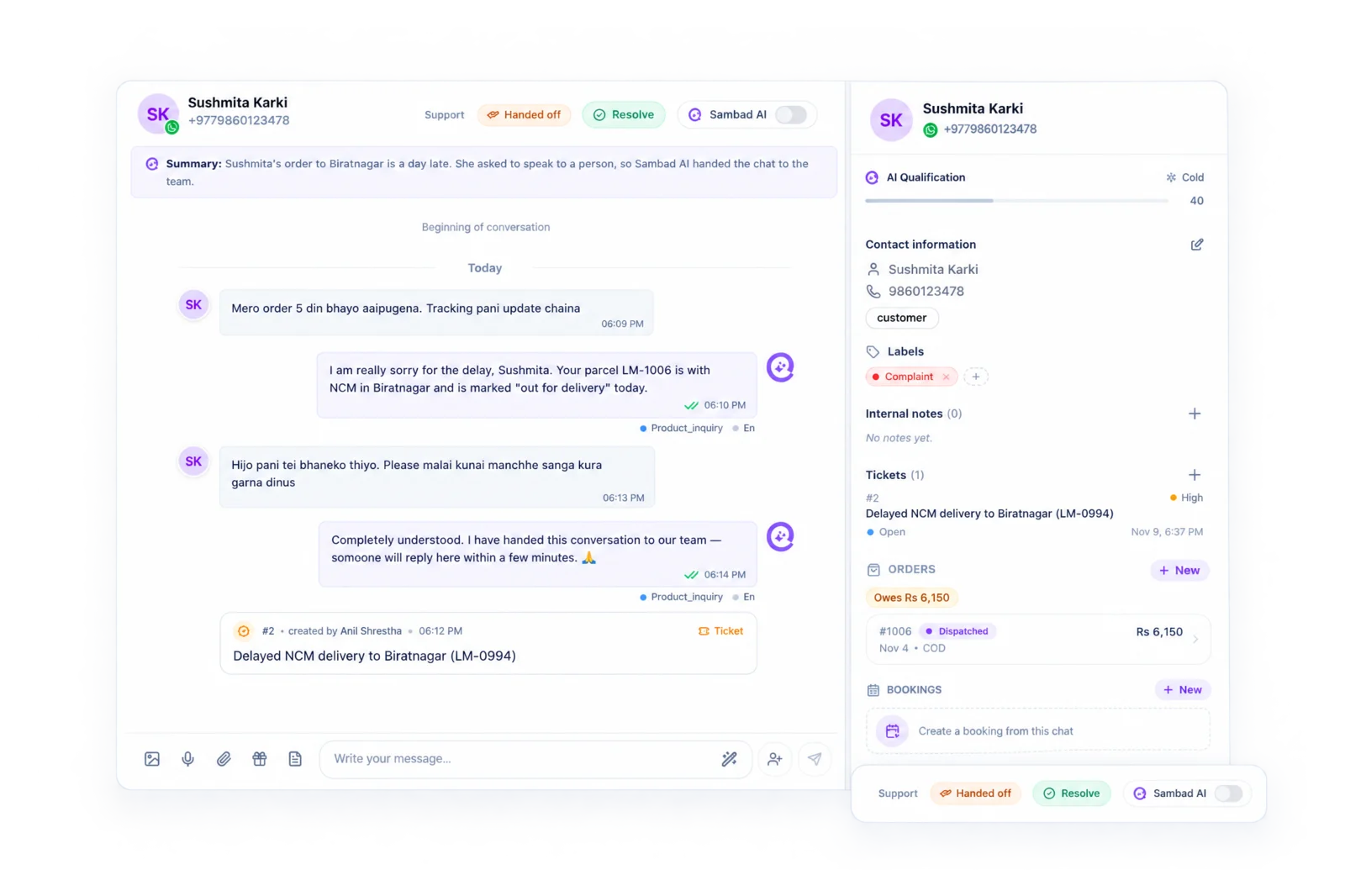
Your best answers, one keyword away.
Save the answers your team types every day and insert them with a keyword or a slash: up to 50 per workspace, shared by everyone. Label conversations your own way and filter by them.
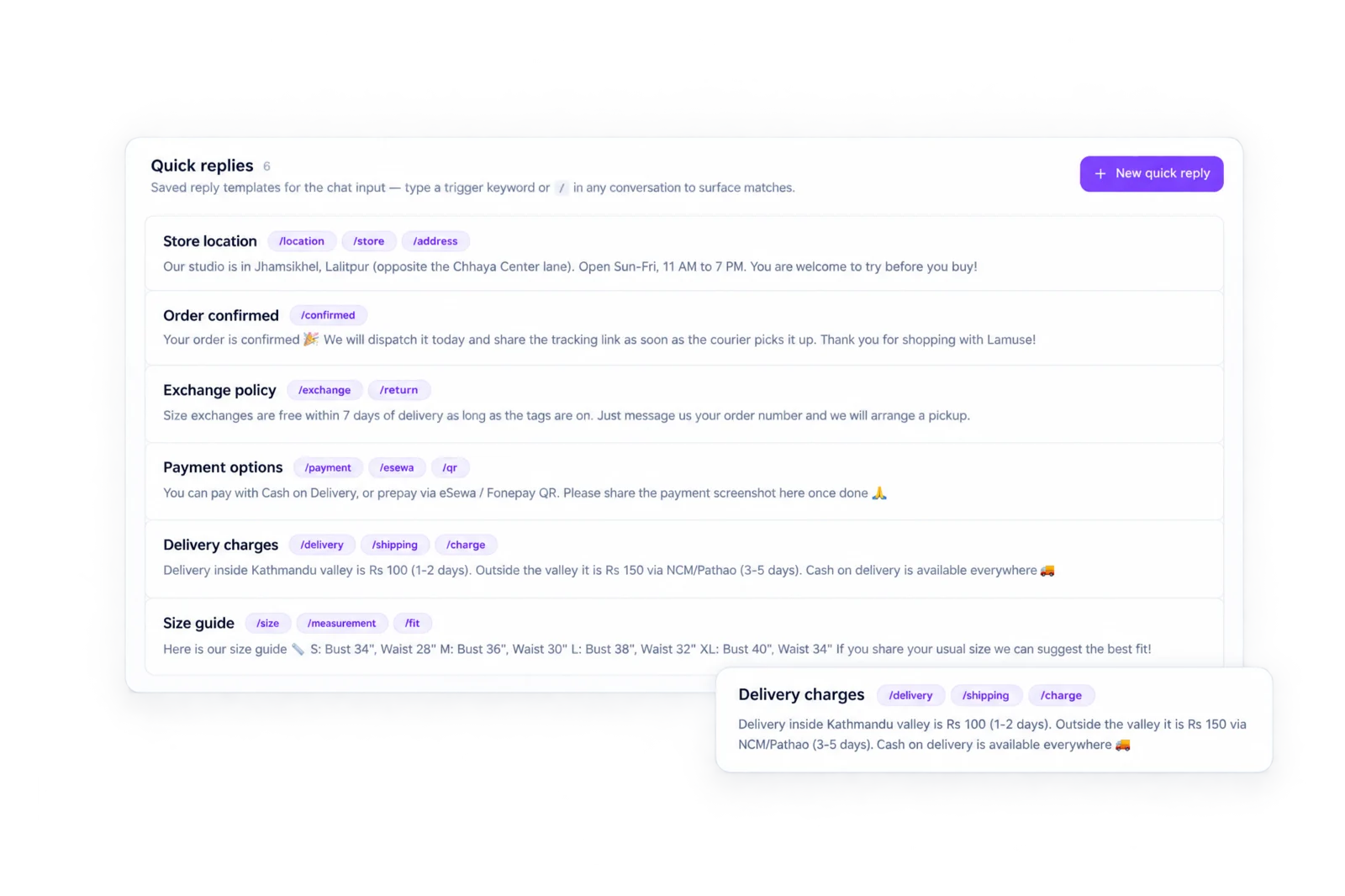
Reach customers after the 24-hour window.
When a WhatsApp chat goes quiet for 24 hours, Sambad says so and puts your approved templates one click away. Create and sync templates from Sambad, and manage WhatsApp Groups: invite links, join requests and pinned messages.
WhatsApp Business API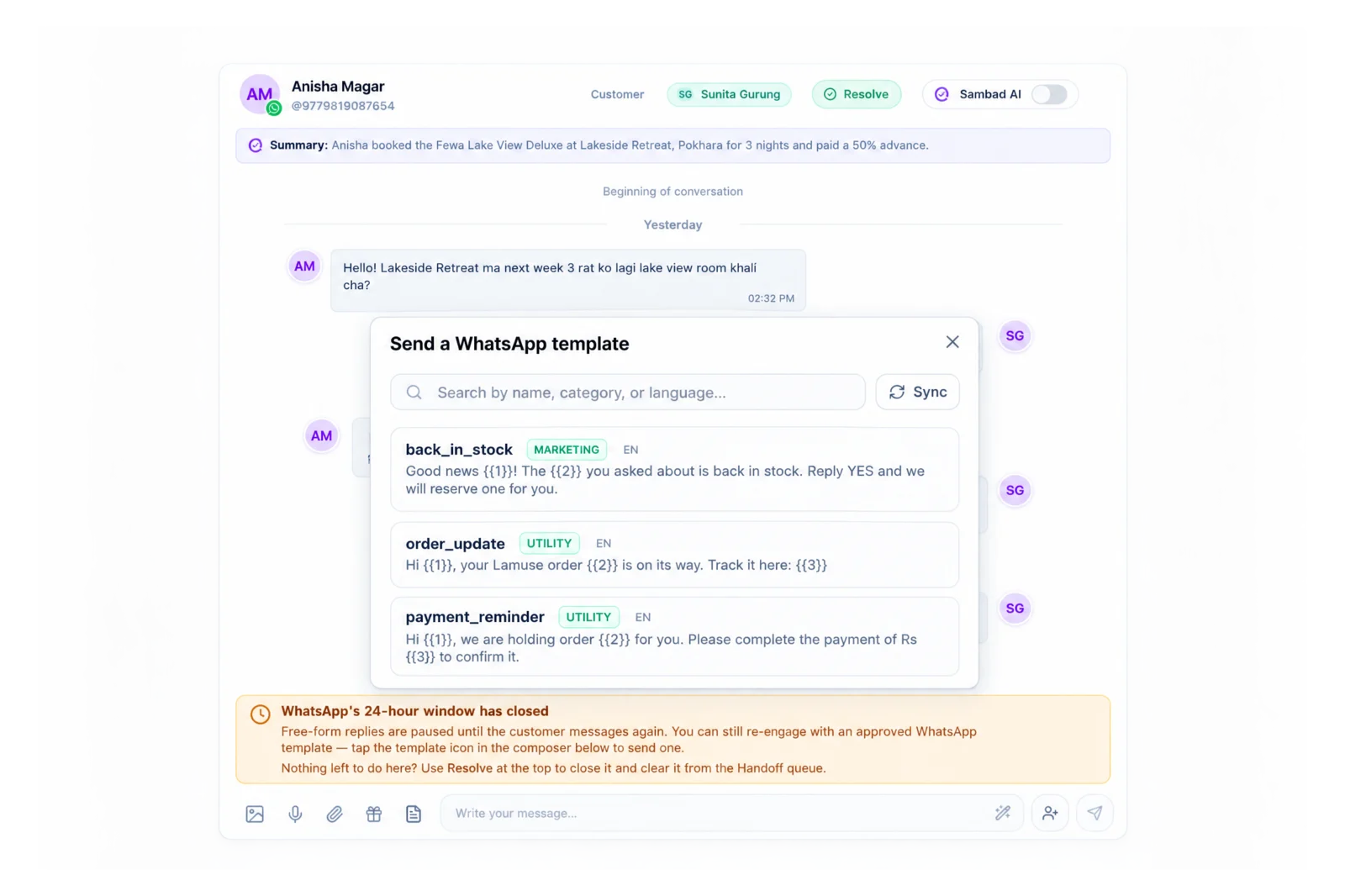
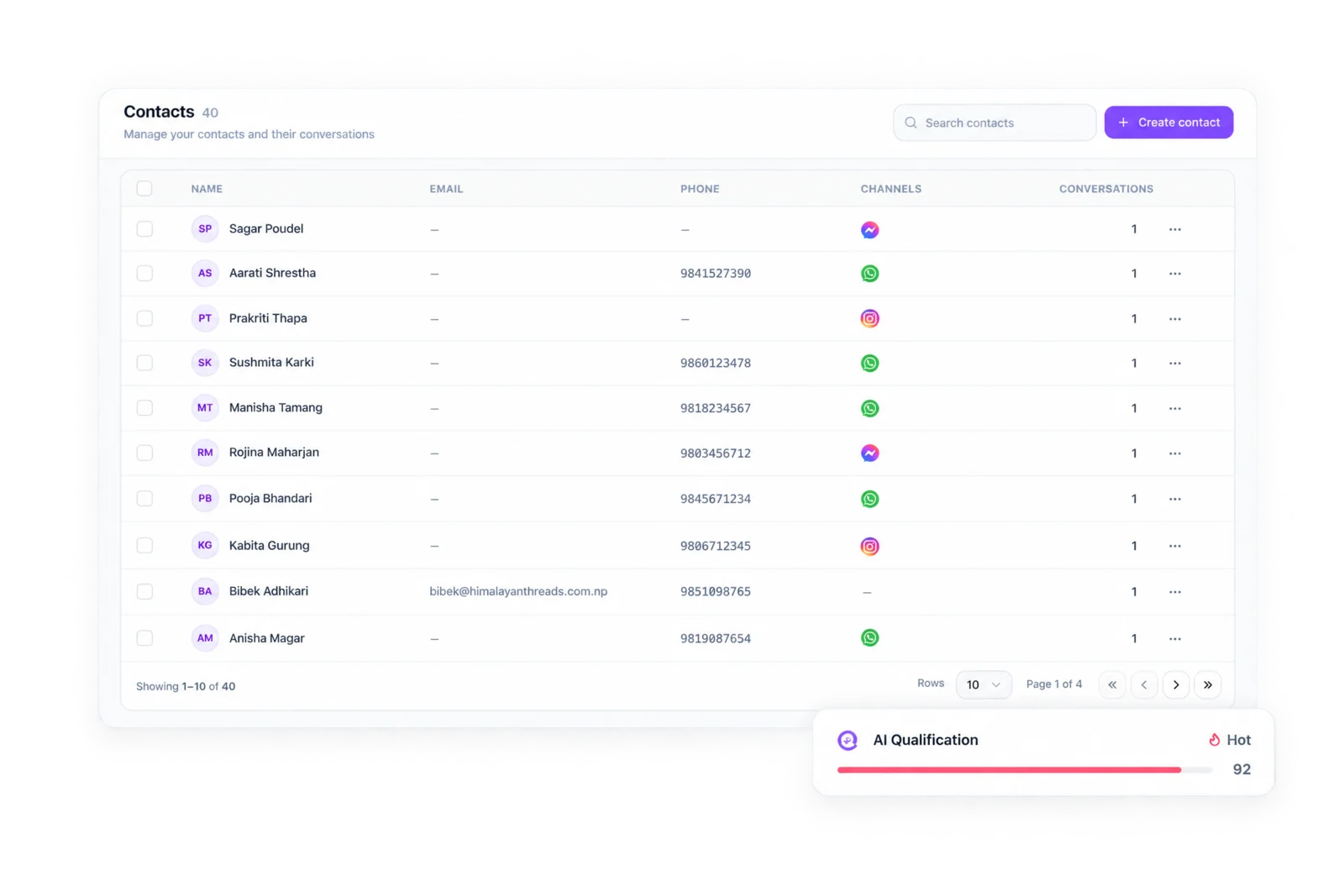
One customer, every conversation.
Conversations link to a contact by phone number, with their details, labels, notes and an AI summary of everything they have said to you. Each one carries a Hot, Warm or Cold lead score.
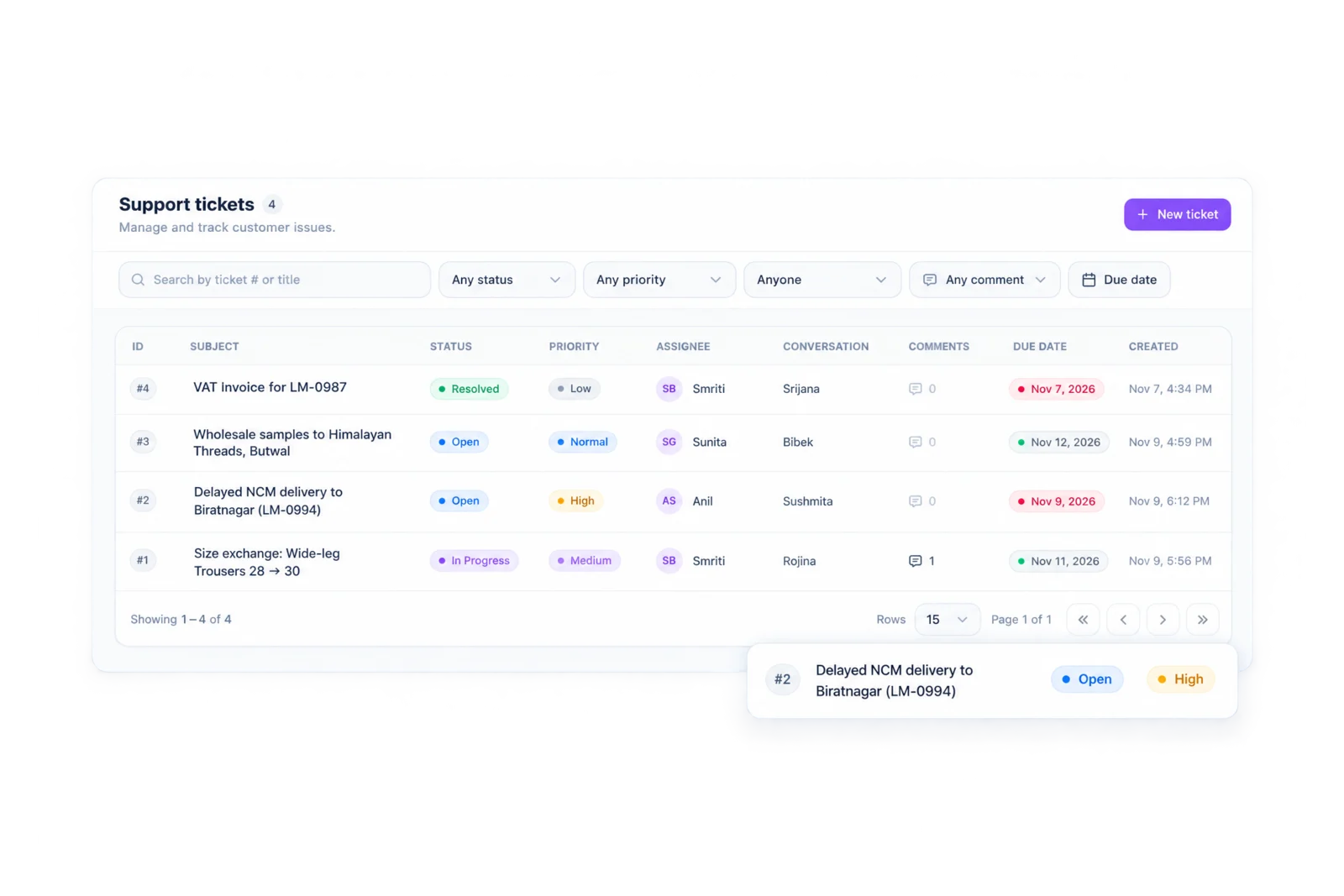
Requests that need more than a reply.
Turn a request into a ticket with a status, priority, owner and due date, linked to the conversation it came from. Filter by status, priority or teammate.
The whole inbox, on your phone.
Reply, assign, send templates and payment QRs, and create orders and tickets from the Sambad app for iOS and Android. Push notifications go to whoever owns the chat, and unassigned chats to the team.
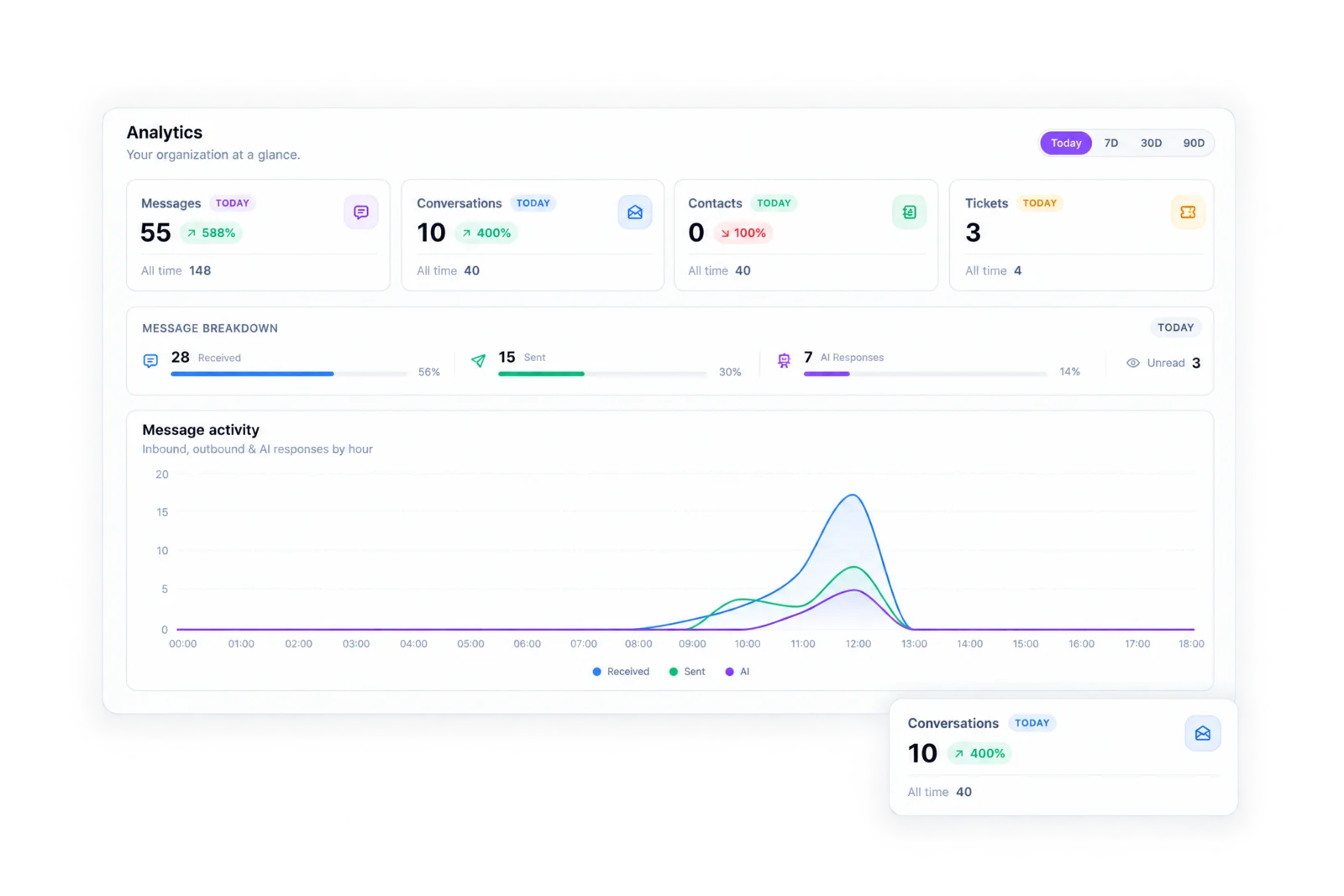
Know how fast your team answers.
Conversations, first-reply time, resolution, leads and sales, by channel and by teammate. See who is carrying the inbox and where customers wait.
Automation, where it helps.
Turn on Sambad AI per channel and it answers from your own knowledge base, in English or Nepali, takes orders and bookings when your systems are connected, and hands the chat to your team when it can't help. It never approves a payment.
AI replies for WhatsApp and Instagram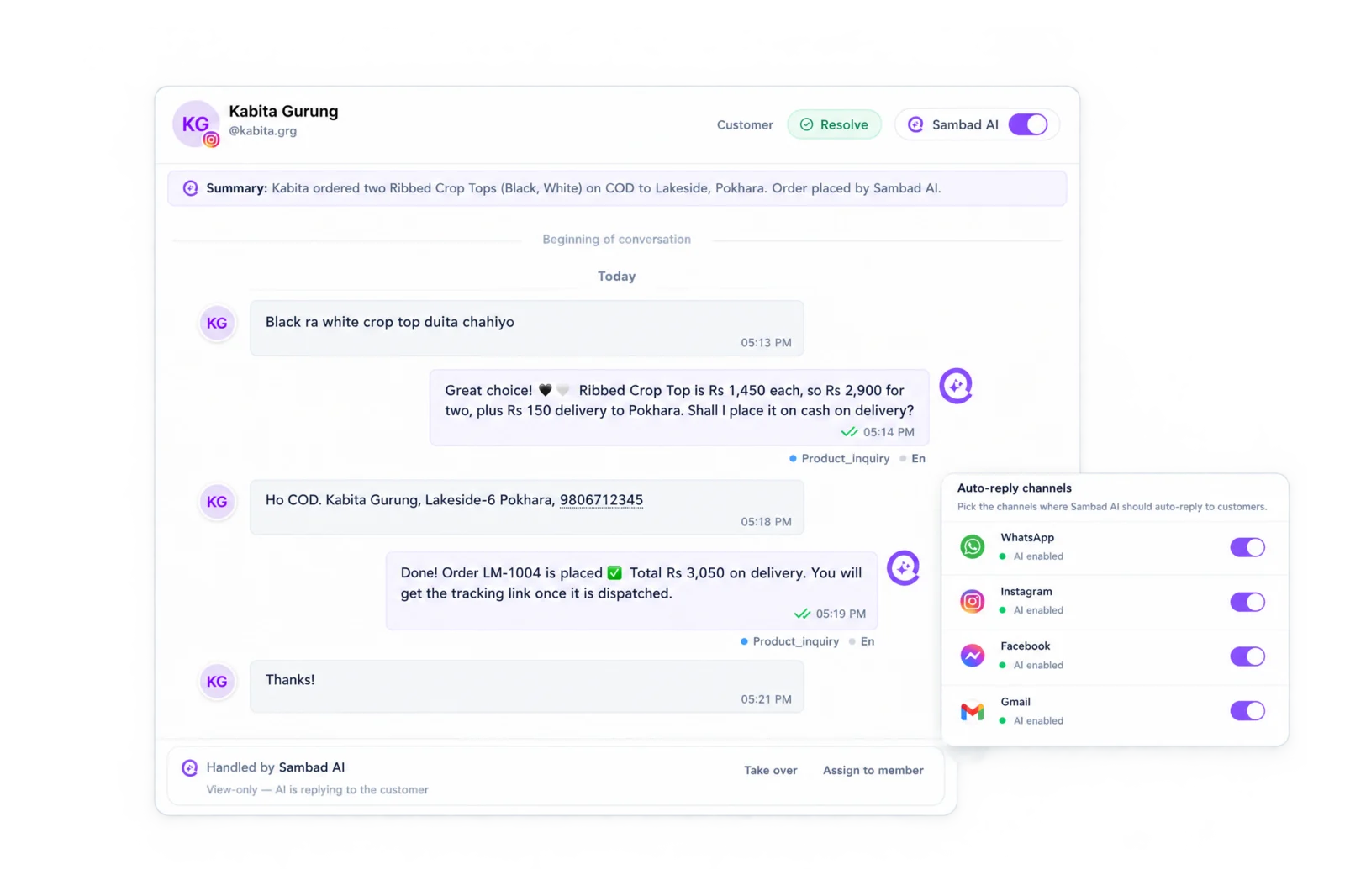
Connected to the rest of your business.
Blanxer, BlanxerCRM, Shopify and Zoho CRM, plus Sambad's own order management and booking systems.
Questions people ask.
Can several people answer the same WhatsApp number?
Yes. Sambad connects WhatsApp through the Business API, so your whole team answers the same number from the web or the app, with each chat assigned to one person.
Can we see who replied to a customer?
Yes. Every message keeps who sent it, including replies from Sambad AI, and analytics show reply times per teammate.
Does Sambad have an API?
Yes. A REST API covers conversations, messages, contacts, tickets, analytics and OMS orders.
Does Sambad send broadcast campaigns?
No. Sambad is built for conversations. To reach a WhatsApp customer after 24 hours, send an approved template from the chat.
See Sambad on your own channels.
Book a walkthrough with our team. We'll show the inbox, the integrations you need and how your team would use it.