
Sell from your Blanxer store in every chat.
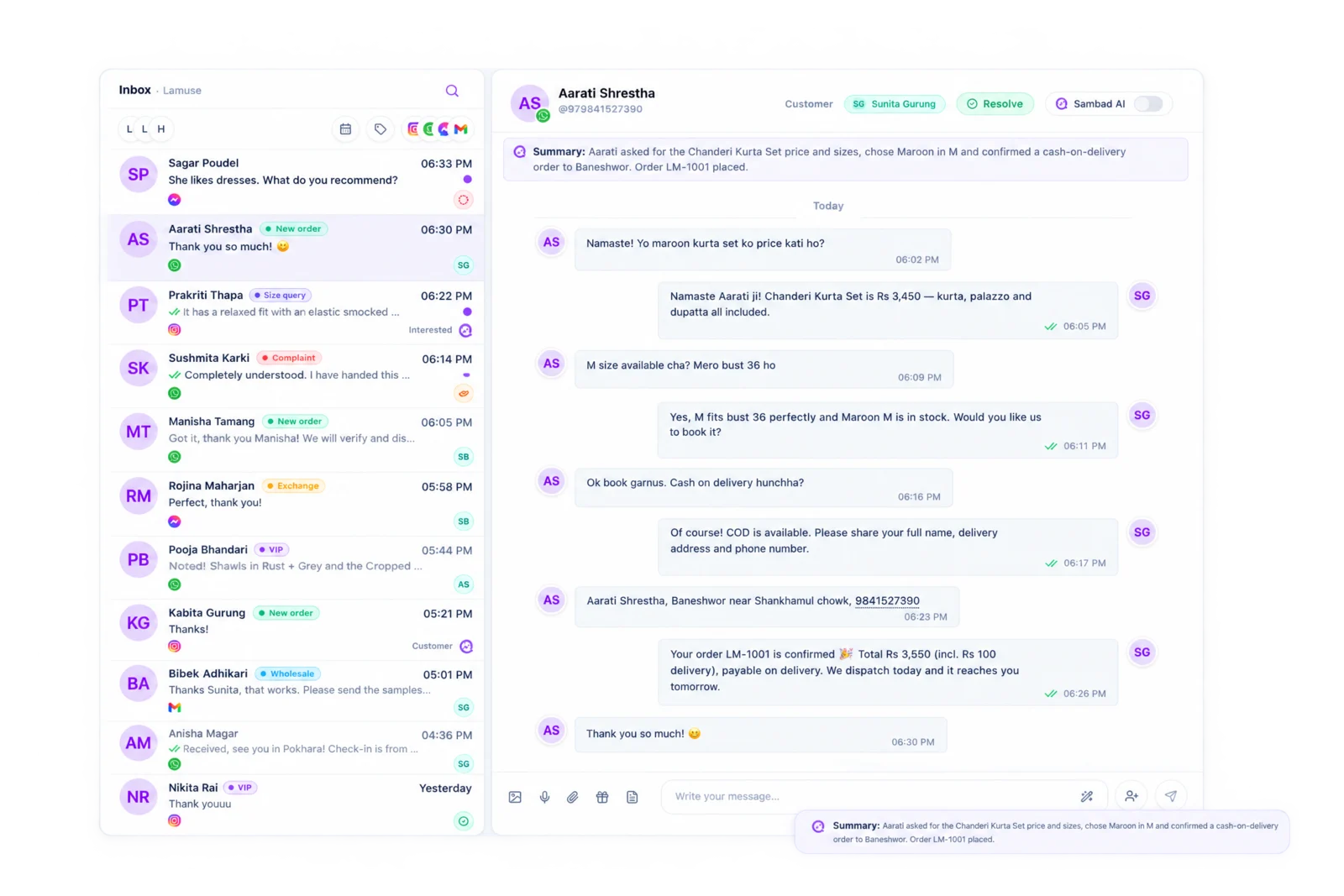
Search your catalog with live stock, send a product card and create the order without leaving the conversation. It lands in Blanxer like any other order.
Trusted by 500+ businesses in Nepal




What you get.
Catalog in the chat
Search Blanxer products by name or SKU, with stock shown.
Product cards
Send a product to the customer in one tap.
Orders from the chat
Customer, items, address, delivery charge and payment, in one form.
Collect on delivery
Mark an order paid, part-paid or cash on delivery.
Recent orders
See the customer's past Blanxer orders beside the chat.
Every plan
The Blanxer connection works on every Sambad plan.
The order starts in a DM. Now it ends there too.
Most Blanxer stores take a large share of their orders in WhatsApp and Instagram. Without Sambad, someone copies the name, number and address from the chat into the dashboard by hand.
With the two connected, the operator opens the Create order panel beside the conversation. Sambad finds the customer by phone or creates them, the items come from your Blanxer catalog or as a custom line, and the order is created in Blanxer with the delivery charge and payment status set.
Let Sambad AI take the simple ones.
Turn on the Ecommerce agent and Sambad AI can answer product questions from your catalog, help with sizes and variants, build a cart, place a cash-on-delivery order or send a payment link, check stock and change or cancel an order.
It is optional, it only runs on the channels you choose, and it hands the conversation to your team when it cannot help.
How to get started.
01 / 03
Copy your Blanxer API key
From your Blanxer dashboard.
02 / 03
Paste it in Sambad
Integrations, Blanxer. Sambad checks the key with your store.
03 / 03
Open any chat
The Blanxer panel appears beside every conversation.
Questions people ask.
Do I need a paid Sambad plan to connect Blanxer?
No. The Blanxer connection works on every Sambad plan, including the free trial.
Do orders created in Sambad show up in my Blanxer dashboard?
Yes. They are created in Blanxer, so they appear in your orders list and go through your usual packing and delivery.
Can my team see stock before they promise a product?
Yes. Product search in the chat shows stock from Blanxer.
Does the AI place orders on its own?
Only if you turn on the Ecommerce agent. It can place cash-on-delivery orders or send a payment link, and hands anything it cannot handle to your team.
See Sambad on your own channels.
Book a walkthrough with our team. We'll show the inbox, the integrations you need and how your team would use it.